

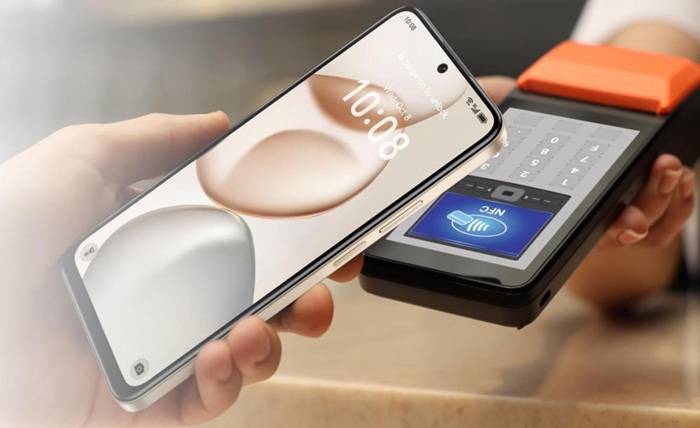
The size of a phone directly affects how natural it feels in your hand and how smoothly you interact with it. Every millimeter influences comfort, control, and movement. When dimensions match your hand, motions feel effortless. But if the phone is poorly sized, strain builds quickly. Understanding how shape, width, and height affect real use helps you choose the most comfortable device.
The Anatomy of Phone Dimensions and Hand Interaction
How Width, Height, and Curvature Shape the Grip
Width determines whether your palm can secure the phone without slipping, while height affects how far your thumb must travel for daily actions. Curved edges let your hand relax, reducing pressure points, while flatter ones provide a firmer grasp. These small physical details decide whether the phone feels balanced or awkward when performing routine gestures like typing or scrolling.
Surface Texture, Edges, and Daily Stability Factors
Back textures influence how confidently you hold the device. Matte or patterned surfaces improve friction, while glossy finishes require tighter grip control. Edge thickness and shape decide how easily your fingers anchor the phone. Even small design choices—like subtle ridges or flatter frames—change daily stability, especially when using the device in motion or with only one hand available.
How Size Influences Hand Fatigue During Continuous Use
A phone that’s too large forces the hand to stretch, tightening muscles over long sessions. Smaller models reduce strain but may require more finger movement for certain tasks. The right size minimizes effort and distributes weight comfortably. Over time, well-matched dimensions reduce fatigue, allowing you to watch content, message, or browse longer without discomfort or frequent grip adjustments.
Handling Differences Between Compact and Large Phones
Mobility and Quick Actions on Smaller Handsets
Compact phones excel in situations where speed matters. You can swipe, tap, and unlock quickly because everything sits within natural reach. They’re easier to control in crowded spaces or while moving. Their light footprint supports quick reactions and one-hand operation, making them ideal for users who navigate apps rapidly or frequently multitask on the go.
Productivity and Immersion Advantages of Big Screens
Larger screens allow you to view more information at once, reducing the need to zoom or scroll. They offer immersive visuals for movies and games, creating a more engaging experience. Productivity apps benefit from the added space, supporting easier reading and split-screen tasks. While they often need two-hand use, big displays deliver richer detail and clearer layouts.
Common Struggles Users Face With Oversized Devices
Oversized phones can feel unstable during one-hand actions, especially when reaching for top corners. Their weight becomes noticeable during long calls or browsing. They may not fit securely in pockets or small bags, complicating daily carry. Quick tasks take longer because your hand must constantly shift position. These inconveniences show why choosing a size that matches your hand is essential.

How Phone Size Affects Everyday Motion and Reach
The Impact on One-Hand Tasks Like Swiping and Typing
One-hand actions depend on how far your thumb can comfortably travel. Wider and taller screens push essential areas out of reach, slowing typing and navigation. Smaller phones concentrate controls, allowing smoother motions. If your thumb must stretch too often, accuracy drops. Proper phone size makes swiping, tapping, and typing feel effortless, especially when holding something else in the other hand.
Grip Adjustments Required for Various Phone Shapes
Tall phones require sliding your hand upward for upper-screen touches, while wide models require stretching for side controls. Rounded frames might feel smoother but offer less anchoring, while flat sides give extra stability. Knowing how your hand naturally shifts during daily motions helps identify shapes that enhance grip instead of creating constant adjustments or increasing drop risks.
Balancing Control and Speed When Multitasking
When juggling multiple apps, a well-sized phone lets your fingers move confidently without hesitation. Oversized devices slow transitions between tasks because each motion takes more effort. Smaller models speed up quick checks but may reduce content visibility. The ideal size supports both fast control and clear viewing, allowing efficient app switching without compromising comfort.
Decoding the Ideal Size Based on Your Lifestyle
Matching Phone Size to Work, Play, and On-the-Go Use
Different routines demand different sizes. Travelers and active users benefit from compact phones that allow secure one-hand use. Content lovers and mobile workers may prefer larger screens for reading and multitasking. The best size complements your habits—whether you write messages often, watch videos, or manage tasks while walking. Matching usage patterns ensures your phone fits your lifestyle naturally.
Choosing Dimensions That Suit Your Grip Style
Your preferred way of holding a phone affects how comfortable each size feels. Palm-grip users handle larger frames better, while fingertip users need slimmer designs to maintain precision. If you switch between hands often, curved backs may feel more secure. Identifying your natural grip makes it easier to choose dimensions that enhance comfort instead of adding strain.
Practical Real-World Tests Before Buying a Phone
Before choosing a device, hold it as you would during daily use—typing, scrolling, taking photos, and pulling it from your pocket. Try reaching all corners without shifting your grip too much. Check how stable it feels when walking. Real-world tests reveal fit and comfort more accurately than specs alone, helping you select a phone that truly suits your hand.
Conclusion
Phone size plays a major role in how comfortable and confident you feel during everyday tasks. A well-matched device supports natural movements, secure grip, and smoother interactions. Choosing the right dimensions—much like selecting the HONOR X7d 5G—creates a more enjoyable and effortless experience. Evaluating your habits and testing devices in real scenarios ensures long-term comfort and usability.