

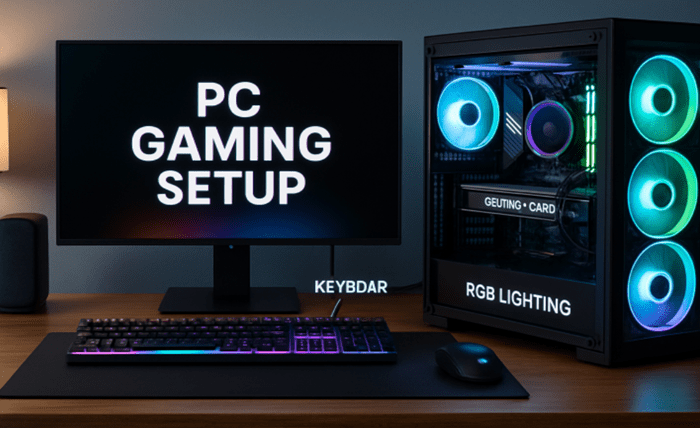
Gaming technology is advancing at an unprecedented pace, and keeping your setup ready for the next generation of games can feel overwhelming. Future-proofing your gaming machine means more than simply buying the latest parts—it requires smart upgrades and regular maintenance to ensure your system remains powerful for years to come. Whether assembling a system yourself or considering prebuilt gaming PCs, making informed choices now helps you avoid frequent, costly overhauls down the line.
Focusing on core components, software management, and staying ahead of emerging trends can make your investment go further. By choosing durable, forward-compatible hardware solutions, you’ll benefit from smoother gameplay now and easier upgrade paths later. These strategies enable gamers to meet the requirements of upcoming titles and maximize their investment.
Advanced planning also lets you enjoy the latest gaming features—including real-time ray tracing and ultra-fast SSD load times—with fewer interruptions for upgrades. Good maintenance and an eye on industry trends can prepare your system for both incremental advancements and major technological leaps.
In this comprehensive guide, you’ll discover a step-by-step approach to building and maintaining a high-performance, future-proof gaming rig. From GPUs to cooling, each section brings actionable advice covering all the essentials for current and prospective PC enthusiasts.
Invest in a Powerful GPU
Your graphics card arguably has the biggest impact on your gaming experience. As new games raise the standard for visuals and special effects, ensuring your GPU can support future technologies, such as ray tracing and advanced AI upscaling features, is crucial. To prevent early obsolescence, choose a model with more VRAM—12GB or more is becoming the new standard for smooth, high-resolution gaming. Prioritizing efficiency and compatibility means less frequent upgrades, allowing your system to handle new releases as they arrive.
Upgrade Your RAM
Most modern gaming titles require a minimum of 16GB of RAM for optimal performance, especially when multitasking or streaming alongside gaming. For even greater longevity, invest in 32GB of fast, dual-channel memory. With games expected to increase in memory requirements due to higher textures and background processes, generous RAM prevents frustrating slowdowns and bottlenecks from interrupting your gameplay. Memory prices are also historically cyclical, so buying during sales can save you money while preparing for the future.
Opt for SSD Storage
Upgrading from a mechanical hard drive to a solid-state drive (SSD) significantly enhances your gaming experience by reducing load times and system lag. NVMe SSDs in particular, which offer significantly higher transfer speeds than SATA drives, are now standard for new builds and upgrades alike. In addition to enabling faster boot times and seamless updates, SSDs also future-proof your setup for large, demanding game files and next-generation titles that require rapid asset streaming.
Ensure Adequate Cooling
Performance parts generate a significant amount of heat—enough to degrade their lifespan and cause thermal throttling if not properly managed. High-quality air or liquid cooling systems not only maintain safe temperatures but also enable components to reach their maximum speeds. Especially when overclocking or installing compact cases, investing in a reliable cooling solution helps your rig weather both intense gaming sessions and the environmental effects of seasonal temperature changes.
Choose a Compatible Motherboard
Your motherboard is the backbone of your system’s expansion and future-proofing abilities. Select one that supports the latest CPU sockets, accommodates multi-GPU setups, and provides ample space for additional storage and peripherals. Opt for boards featuring updated connectivity, such as PCIe 5.0, multiple M.2 slots, and USB-C support, positioning yourself for seamless part replacements or upgrades over the next several hardware generations.
Select a Reliable Power Supply
The power supply (PSU) is often overlooked but is vital for the reliability and safety of your setup. Select a high-efficiency unit with an 80 PLUS Gold or Platinum rating to reduce wasted energy and heat. Choose a wattage rating with extra overhead for future upgrades, as new GPUs and CPUs can be more power-hungry than previous versions. A trustworthy PSU prevents data loss and hardware damage caused by undervoltage or instability.
Stay Updated with Software
Software updates—including drivers, firmware, and operating system patches—are crucial for maintaining your system’s security, stability, and compatibility with new games. Regularly check for GPU drivers from your hardware manufacturer and use utility programs for overclocking or fan management. Updated software enhances compatibility and performance, enabling your system to keep pace with the new features and performance improvements introduced by game developers and hardware vendors.
Monitor Emerging Technologies
The gaming hardware world is constantly evolving, with new standards like DDR5 RAM and PCIe 5.0 SSDs introducing significant advancements in speed and efficiency. Joining communities and forums, or following technology news on reputable sites, helps you time your upgrades effectively and avoid investing in technology that will soon become obsolete. Staying updated maximizes your system’s lifespan and ensures you’re prepared for the demands of future releases.
Future-proofing your gaming PC isn’t just about spending the most money or buying ultra-premium parts. Instead, it’s a combination of strategic investments, ongoing maintenance, and awareness of industry advances. With these steps, your system will deliver high fidelity, smooth performance, and the flexibility to evolve as gaming itself continues to innovate.
Summary
Building a gaming setup that stands the test of time requires more than just high-end parts—it’s about making smart, compatible choices and maintaining them properly. Key components, including a powerful GPU, ample RAM, fast SSD storage, effective cooling, a versatile motherboard, and a reliable power supply, form the backbone of a system built for longevity. Pairing strong hardware with proactive software updates ensures both stability and performance.
By staying informed about emerging technologies and industry trends, gamers can plan upgrades strategically, avoiding unnecessary costs and extending the life of their rigs. Future-proofing ultimately combines durability, efficiency, and adaptability—allowing players to enjoy smooth gameplay today while being prepared for the demands of tomorrow’s titles.